CCTV installers need to identify the camera system, cable construction, PoE load and route conditions before searching for a seller. By the end, you will have a specification-led buying process for finding genuine stock in Bhubaneswar, estimating quantities and checking that every installed link works.
Key takeaways
- Confirm the CCTV system uses IP cameras before ordering LAN cable.
- Match cable category and construction to PoE power, distance and installation route.
- Specify category, length, conductor type, jacket and quantity on the purchase order.
- Test continuity, wire mapping, PoE negotiation and network performance on every link.
Identify the CCTV system before asking for LAN cable
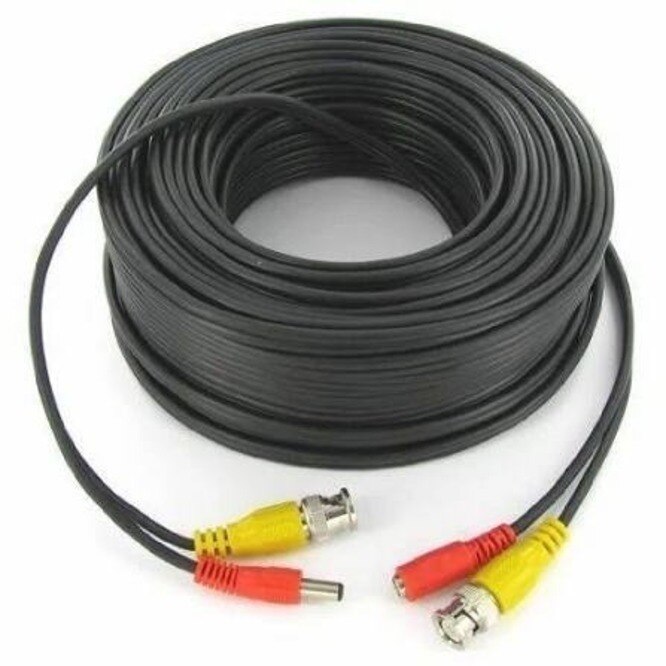
Choose LAN cable for an IP CCTV system: each camera sends video as network data through Ethernet to a PoE switch, NVR, router or network cabinet. An analogue system normally uses coaxial cable, often Siamese coax carrying video and separate power, so ordering LAN cable for it will not solve the connection requirement.
1. Read the camera specification. “IP,” “network camera,” RJ45, Ethernet or 802.3af/at PoE indicates LAN cabling; BNC, CVBS, TVI, CVI or AHD indicates coaxial cabling.
2. Trace the planned links. IP cameras connect to PoE switches or PoE NVR ports, while switch-to-switch, switch-to-router and cabinet uplinks also use Ethernet. Wireless cameras still need power and a network design; do not assume they require a cable to each camera.
3. Tell the polycab lan cable dealer the system type before requesting stock. State the category and construction, such as Cat 5e or Cat 6 U/UTP, Cat 6 FTP, Cat 6A, indoor, outdoor or LSZH. “LAN cable” alone could return patch cords, data cable or ordinary electrical cable.
4. Confirm the cable itself. Request solid bare copper conductors, the conductor gauge or exact manufacturer SKU, the required length and a jacket suited to the route. Do not accept copper-clad aluminium as an unapproved substitute; its resistance and PoE performance can differ.
Cat 5e supports many standard CCTV links, while Cat 6 gives more headroom for higher-bandwidth equipment. Cat 6A is justified by the network design, not simply because the cameras are new.
Match the cable category, construction and route to the PoE design
Choose the Polycab LAN cable by PoE load, link length and route—not by a listing labelled “polycab cable dealers near me.” Confirm the camera’s IEEE 802.3af, 802.3at or 802.3bt requirement, then keep the permanent link within 90 metres and the complete channel within 100 metres.
| Category and construction | What it supports | When it applies |
|---|---|---|
| Cat 5e U/UTP | 1GbE and common 802.3af/at camera links | Short indoor runs with modest PoE and no 10GbE requirement |
| Cat 6 U/UTP | Better crosstalk margin and PoE headroom | The practical default for new CCTV cabling and busier bundles |
| Cat 6A | 10GbE capability and stronger noise margin | Long-term upgrades, high-density cabinets or electrically noisy routes |
| Shielded Cat 6 or Cat 6A | Reduced electromagnetic interference | Use only with compatible shielded jacks, patch panels and proper bonding |
Specify solid bare copper conductors, the conductor size or exact manufacturer SKU, and a cable rated for the planned bandwidth. Do not accept “copper cable” alone: CCA can create higher resistance, poor terminations and PoE voltage loss. Use solid cable for fixed runs and stranded patch cords for equipment connections.
- Indoor PVC: inside protected ceilings, walls and cabinets.
- Outdoor UV-resistant: exposed sunlight, moisture or external conduit.
- LSZH: risers, public-occupancy areas or locations with smoke-control requirements.
Tell the dealer the route, PoE standard, cable category, jacket type and shielding. A cheap indoor box is the wrong purchase for an exposed camera run.
Calculate the required cable and define the order precisely
Measure every route from the camera position to the patch panel, PoE switch or NVR, following the actual tray, conduit and riser path rather than taking a straight-line distance. Keep fixed horizontal cable within 90 m; the complete channel, including patch cords, must stay within 100 m.
1. Create a take-off by camera, recording route length, cable destination, vertical drops, cabinet entry and required service loops.
2. Add project-specific allowance for bends, slack, rejected test runs, repairs and future changes. Do not replace this calculation with a dealer’s generic percentage.
3. State the exact cable: Cat 6 U/UTP, Cat 6 FTP or Cat 6A; solid copper; indoor PVC, outdoor UV-resistant or LSZH jacket; box length; and required conductor gauge. Identify routes exposed to sunlight, moisture, risers or public-occupancy areas.
4. List accessories separately: patch panels, keystone jacks, faceplates, rack hardware, cable managers, patch cords, conduit or trunking, labels and weatherproof enclosures. Match each accessory to the selected category and shield design.
5. Request the exact Polycab product code, datasheet, batch details, GST invoice, warranty terms, current Polycab channel confirmation, warehouse location, dispatch location and quantity physically available. “Available on order” is not stock confirmation.
For a purchase in Bhubaneswar, compare delivered cost and replacement time, not only the unit price. Use searches such as “polycab lan cable supplier in bhubaneswar” as leads, then verify the quotation against your take-off before ordering.
Find and verify a suitable Polycab dealer in Bhubaneswar
Search results for cable dealers polycab lan cable in bhubaneswar and polycab cable dealers near me are lead sources, not proof of genuine stock. Ask each seller for current Polycab channel confirmation, the exact product code, GST invoice, warehouse or dispatch location, and the quantity physically available. “Available on order” does not confirm stock.
Use the same verification checklist for every quotation:
- Specify Cat 6 U/UTP, Cat 6 FTP, Cat 6A, indoor, outdoor or LSZH; “LAN cable” alone is too vague.
- Match the SKU, conductor material, solid or stranded construction, sheath type, colour and box length.
- Request the manufacturing batch or date, taxes, freight, warranty terms and photographs of the factory-sealed box.
- Compare the seller’s details with Polycab’s current official channel information; a logo, marketplace badge or old catalogue proves nothing.
- Include Prabhat Cables Pvt. Ltd in the comparison and request these details in writing before payment.
| Local dealer | Authorised distributor | Online seller |
|---|---|---|
| Nearby stock and replacement | Channel status and broader availability | Convenient price comparison |
| Check physical quantity and dispatch location | Check written manufacturer-channel confirmation | Check seller identity and invoice issuer |
| Usually faster collection and replacement | Compare freight, lead time and warranty handling | Add freight, transit damage and return risk |
| Reject repacked or cut-length cable without clear terms | Confirm the exact CCTV cable SKU is stocked | Do not rely on ratings or “genuine” claims alone |
Related product
 | Polycab LAN Cables also known as Ethernet cables, are networking cables designed to connect devices within a local area network (LAN). View product → |
Test every link and recognise when LAN cable is the wrong choice
A reliable CCTV network passes a certification test on every permanent link, carries the camera’s PoE load, and delivers a stable stream at the NVR. Do not accept “link light” as proof; a switch can show a connection while a split pair, excessive length or interference causes dropped video.
- Test wire map, pair continuity, length, insertion loss, return loss and crosstalk with a tester rated for the installed category.
- Connect the camera and PoE switch, verify the negotiated speed, record voltage at the camera, and watch live and recorded video during day and night operation.
- Label both ends, photograph test results, and retest any link with intermittent faults rather than hiding it behind a replacement patch cord.
- Keep a permanent link within 90 m and the complete channel within 100 m, including patch cords.
| Option | What it means | When it applies |
|---|---|---|
| Coaxial cable | Separate video cable, usually with separate power or Siamese construction | Analogue cameras, existing coaxial routes, or a system that does not use Ethernet |
| Wireless | Radio link replaces the data cable | Short, clear paths where cabling is impractical; provide dependable power and survey interference |
| Fibre | Optical link immune to electrical interference | Long uplinks, outdoor buildings, lightning-prone routes, or links beyond copper limits |
Before ordering, tell a polycab lan cable dealer the category, jacket and route. For Bhubaneswar, ask any polycab lan cable supplier in bhubaneswar for channel confirmation, GST invoice, exact product code, dispatch location and available quantity.
Frequently asked questions
Does an IP CCTV system need LAN cable?
Yes. IP cameras send video as Ethernet data to equipment such as a PoE switch, NVR or router. Analogue cameras normally need coaxial or Siamese cable instead.
How should you choose LAN cable for PoE CCTV?
Match the cable category, conductor construction, jacket and route to the PoE design. Check the planned distance, power demand, indoor or outdoor exposure and installation conditions.
What details should you give a Polycab LAN cable dealer?
Specify the cable category, solid or stranded conductor, copper construction, jacket type, required total length, drum or box format and the number of runs.
How can you verify a Polycab LAN cable dealer in Bhubaneswar?
Ask for a tax invoice, product packaging, batch or manufacturing details and proof that the supplied cable is genuine Polycab stock. Compare the cable marking with the ordered specification.
What tests should you perform after installing CCTV LAN cable?
Test continuity, pair sequence, split pairs, PoE link negotiation and network performance on every run. Check the result at the installed termination, not only on a loose cable.