Snowy video, intermittent internet, rolling bars and a dead outlet do not prove that the coaxial cable has failed. By tracing the fault from source to endpoint, checking terminations and matching the replacement to the equipment, you can decide whether to replace cable, repair an installation detail or contact the network provider.
Key takeaways
- Compare a faulty outlet with a working outlet using the same source lead.
- Inspect connectors, test continuity, and check splitters before replacing the cable.
- Match shielding, impedance, cable length and bend route to the system.
- Give the supplier cable type, length, connector and stock requirements.
Match the symptom to the likely coaxial fault
Snowy or pixelated video points first to low signal level, damaged shielding, a poor termination or excessive splitter loss. Isolate one outlet at a time and compare it with a working outlet using the same source lead and receiver.
| Symptom | Likely fault | Start testing here |
|---|---|---|
| Snowy or pixelated video | Low level, damaged shield, poor termination, splitter loss | Measure signal at source and outlet |
| Intermittent signal | Loose F-connector or BNC, broken braid, water ingress, bent cable | Move the cable and reconnect each fitting |
| Total signal loss | Open circuit, short circuit, no source power, failed outlet or receiver | Check continuity, source power, wall outlet and splitter |
| Rolling bars | Interference, poor shield connection, earthing fault | Inspect shield continuity and nearby electrical equipment |
| Ghosting | Impedance mismatch, unterminated branch, damaged connector | Check terminations, branches and impedance |
| Low internet speed | Weak modem level or splitter loss | Test modem levels with splitters bypassed |
A fault at every outlet shifts attention to the source, amplifier, optical node, provider network or common splitter. Record whether the symptom changes when you move the cable or reconnect the fitting; that separates a mechanical termination fault from a service outage.
If testing confirms cable damage, verify Polycab coaxial cable availability by exact designation, impedance and shield construction rather than ordering from a general listing.
Test connectors, continuity and the cable route before replacing it
A multimeter separates many connector faults from cable faults, but continuity alone does not prove a sound RF path.
1. Switch off connected equipment, disconnect the cable and inspect both ends. On an F-connector, tighten the threaded fitting, confirm the centre conductor reaches the mating socket without bending, and ensure no braid strand touches it. Match the connector to the cable diameter: an RG-6 connector on RG-59 can loosen or deform the termination.
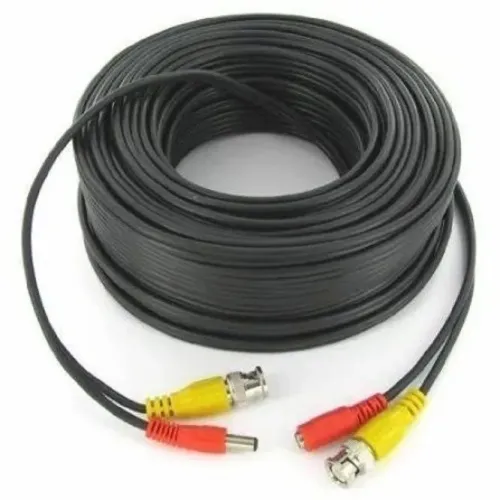
2. Check that preparation has not removed excessive foil or braid. On a BNC connector, inspect the centre pin, crimp or compression sleeve and bayonet locking action.
3. Test three conditions with a multimeter: centre-to-shield short circuit, centre-conductor continuity and DC shield continuity. A passing result still cannot confirm signal quality; measure signal level at both ends, then use return-loss or sweep testing across the operating band when instruments are available.
4. Trace the route for sharp bends, crushed sections, over-tight cable ties, pulled cable and bends below the stated minimum radius. Check splitters separately: a nominal two-way split loses about 3 dB through power division before insertion loss.
5. Inspect outdoor connectors for failed seals, corrosion and water migration along the shield. If you are checking stock with a polycab coaxial cable dealer in ahmedabad, ask for a cable and connector diameter match before replacing anything.
Choose the construction that matches the system and route
Request 75-ohm cable for terrestrial TV, CATV and most CCTV RF systems. A 50-ohm cable is not a drop-in replacement: the impedance mismatch increases reflections and reduces signal margin. A search for cable dealers polycab coaxial cable in ahmedabad should identify the system before the product.
| Construction | Best fit | Important limitation |
|---|---|---|
| RG-59 | Shorter CCTV runs | Higher loss makes it unsuitable for many long broadband or satellite routes |
| RG-6 | Broadband TV, CATV and satellite distribution | Confirm attenuation at the operating frequency |
| RG-11 | Longer runs needing lower loss | Larger diameter requires more installation space |
Choose a solid centre conductor for fixed building routes. Use stranded construction only where repeated movement demands flexibility. Ask whether the shield is foil plus braid; it protects better than braid alone only when both layers remain continuous through the connector.
For outdoor Ahmedabad routes, specify a UV-resistant sheath, moisture protection and sealed connectors or transitions. Respect the printed minimum bend radius, pulling tension and temperature range. A crushed cable or tight bend can erase the benefit of a higher-grade construction.
- Confirm characteristic impedance: 75 ohms, not 50 ohms.
- Compare attenuation at the actual operating frequency and full route length.
- Use F-type connectors with compatible 75-ohm distribution equipment.
- Use BNC connectors only with equipment designed for BNC sockets.
- Match the connector to the cable diameter; similar-looking connector families are not interchangeable.
Give the supplier a complete specification and verify stock
Give the Polycab coaxial cable supplier the equipment and run length before requesting a quote. Name the CATV headend, broadband modem, satellite LNB and receiver, CCTV camera and DVR, set-top box, antenna, splitter or amplifier involved.
1. Request the exact printed designation, such as RG-6, RG-59 or RG-11, not “Polycab coaxial cable” generally. Confirm 50-ohm or 75-ohm impedance, conductor material and diameter, solid or stranded construction, dielectric type, foil-and-braid or braid-only shielding, outer-sheath material, frequency range, attenuation at named frequencies, operating temperature, voltage rating and packing length.
2. Ask whether the quoted item is a finished 75-ohm RF cable or a different coaxial product for another application. Confirm that its impedance and performance suit every connected device; a 50-ohm cable is not a drop-in replacement for a 75-ohm system.
3. For Polycab coaxial cable availability, obtain SKU-level confirmation showing the exact printed designation, coil or drum length, batch identification, conductor type and shield description. Request the manufacturer datasheet or declared performance values, especially attenuation at the frequencies your system uses.
4. Before issuing a purchase order, obtain a tax invoice naming the legal seller and product description. Match the delivered packaging, printed designation and batch details to the invoice and quotation. Prabhat Cables Pvt.
Ltd can help an Ahmedabad buyer discuss this specification, but verify stock and authorisation through Polycab’s current channel information or directly with Polycab.
Related products
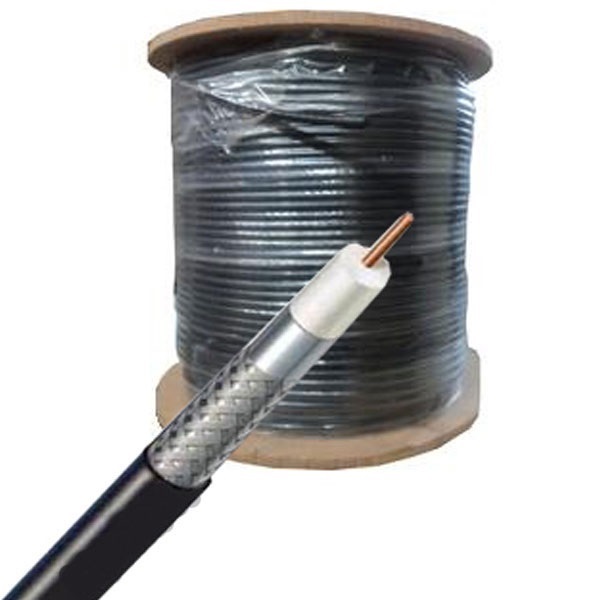 | Polycab Co-Axial Cables Polycab coaxial cable is a type of cable designed for transmitting high-frequency electrical signals, commonly used in cable television (CATV) and... View product → |
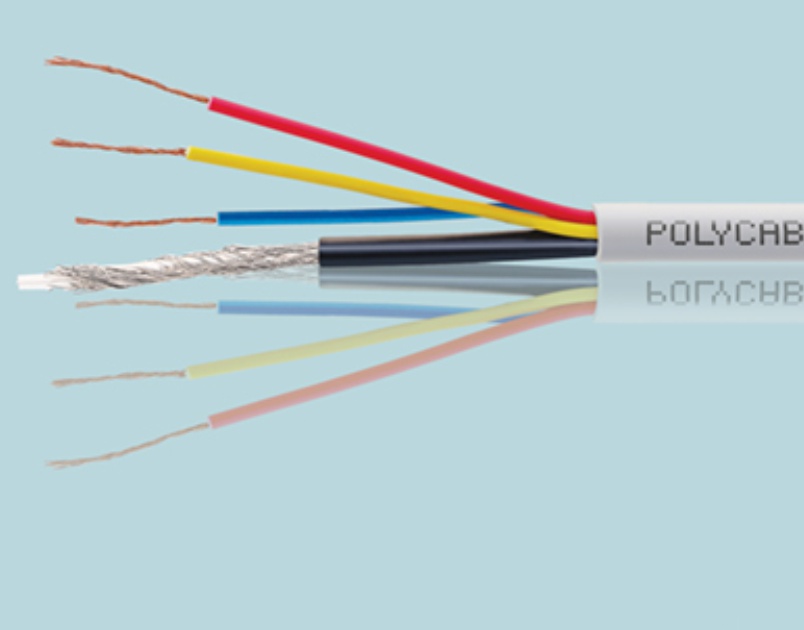 | Polycab CCTV Cables Polycab CCTV cables are specifically designed for use in closed-circuit television (CCTV) systems, offering reliable video signal transmission and... View product → |
Decide whether cable replacement will fix the service
Do not order a new cable when the signal is weak before the building cable begins. Ask the provider to measure upstream and downstream levels and investigate an outage, optical node, headend or network amplifier. If the source level is correct but the endpoint is weak, test the splitter, wall outlet and distribution amplifier first.
Replace the cable when testing finds:
- A centre-to-shield short, open conductor or open shield
- Damaged dielectric, crushed sections or water ingress
- Corroded terminations, failed connectors or attenuation above the system’s signal budget
Repair the termination when the cable passes inspection but the F-connector or BNC fitting is loose, incorrectly sized or poorly prepared. Bypass the splitter with a known-good short lead, test a known-good receiver and compare a working outlet.
A Polycab coaxial cable dealer in Ahmedabad can help source a replacement after the fault is confirmed, not before.
| Finding | Correct next step | Why |
|---|---|---|
| Weak signal at every outlet | Contact the provider | The fault may be upstream |
| Weak endpoint after a splitter | Test splitter and amplifier | Splitters add signal loss |
| Modem remains offline | Check power supply, coaxial port and configuration | The modem may be faulty |
| CCTV remains dead | Check camera power, DVR input and camera | The cable may be working |
| Ethernet-only service | Do not replace coaxial cable | No coaxial segment carries that connection |
Frequently asked questions
What causes snowy or pixelated coaxial video?
Low signal level, damaged shielding, a poor connector termination, excessive splitter loss or a fault along the cable route can cause snowy or pixelated video.
How can you test whether the coaxial cable is faulty?
Compare the outlet with a working outlet, inspect both connectors, test continuity from end to end and trace the cable route before replacing it.
What should you specify when buying Polycab coaxial cable?
Give the supplier the cable type, impedance, shielding construction, required length, connector type, installation route and quantity.
Will replacing the coaxial cable always fix the service?
No. Replace the cable only after checking the source, receiver, connectors, splitters, signal level and route for faults.