Rain usually exposes weak points at cable entries, junction boxes, rooftop routes and power connections rather than damaging an intact cable in the middle of a run. By the end, you will know how to inspect a Bengaluru CCTV route, select a compatible cable, prevent water tracking and test the installation before the first heavy downpour.
Key takeaways
- Map each camera route, including risers, loops, low points and ponding areas.
- Seal cable entries and junction boxes against driven rain and standing water.
- Match cable type, length and shielding to the camera system and route.
- Test recordings, power, network links and weather seals before and after heavy rain.
Start with a Bengaluru route survey, not a cable order
Before ordering cable, walk the Bengaluru site and map every camera route from lens to recorder. Inspect roof edges, parapets, external walls, conduits, trays, low points, ponding areas and wash-down zones; a straight-line measurement will miss riser transitions and protected service loops.
1. Check each camera junction box for cracked covers, open gland holes, downward-facing cable loops and signs of rust or staining. Mark boxes that need weatherproof replacements, sealing boots or self-amalgamating tape.
2. Trace the route into the recording room. Look for cable runs that slope toward equipment, cracked conduit, flooded low points and entries without a drip loop or gland.
3. Identify the transmission system before selecting polycab cctv cable in bengaluru: analogue HD cameras require coaxial cable with the correct impedance and BNC termination; IP and PoE cameras require balanced twisted-pair Ethernet cable with RJ45 termination.
4. Record each route length, including service loops, riser changes and termination allowance. Do not leave spare cable coiled at a low point where rainwater can collect.
5. Note whether each section runs inside a riser, through conduit, across an exposed wall or along a rooftop. Specify the required FR, FRLS, LSZH or UV-resistant performance; these descriptions are not interchangeable.
Give the route map, camera model, recorder interface, PoE budget and termination details to the cable supplier. Confirm outdoor suitability and obtain compatible glands, junction boxes and documentation before dispatch.
Stop rainwater at entries, junction boxes and low points
Water usually enters a CCTV installation at cable terminations, not through the middle of an intact cable. Rain follows an exposed RJ45 plug, BNC joint or cable sheath into the camera, junction box or recorder when a gland is loose, an unused entry is open, or the cable slopes toward the equipment.
| Entry condition | Physical change | Why it works |
|---|---|---|
| Unsealed gland opening | Fit a gland matched to the cable diameter | Closes the gap around the sheath |
| Cable entering from above | Add a drip loop below the entry, then rise into the box | Gravity sheds water before it reaches the opening |
| Cable run slopes toward equipment | Reroute it above the ponding level and away from the enclosure | Stops water tracking along the cable |
| Cracked conduit | Replace the damaged section and seal both ends | Prevents water moving inside the conduit |
| Poorly closed junction box | Use a weatherproof box, intact gasket and sealed unused entries | Keeps rain out of the enclosure |
| Low-point service coil | Move the loop to a raised, protected position | Stops standing water soaking the cable |
Keep junction boxes accessible, but never place them beneath roof drains, parapet runoff or a wall crack. Arrange the cable entry from below where the box design permits it.
A camera rated IP65 or IP66 does not make its RJ45 or BNC connection weatherproof; seal that assembled connection separately with the specified boot, gland or self-amalgamating tape.
Match the cable to the camera system and route
Use coaxial cable for analogue HD cameras and balanced twisted-pair Ethernet for IP or PoE cameras; they are not interchangeable.
| System | Cable and connector | Checks before ordering |
|---|---|---|
| Analogue HD | 75-ohm coaxial cable with BNC connectors | Confirm camera format, impedance, shielding, route length and outdoor rating |
| IP without PoE | Cat5e or Cat6 copper Ethernet with RJ45 connectors | Keep the complete channel within 100 metres, including patch cords and connecting hardware |
| IP with PoE | Cat5e or Cat6 copper Ethernet with RJ45 connectors | Check conductor size, voltage drop, PoE class, switch or injector output and total power budget |
For an IP camera, 100 metres applies to the complete channel, not merely the fixed cable. Include patch panels, patch cords, couplers and any intermediate switch or extender in the route calculation. A long PoE run can stay within that distance and still drop the camera when thin conductors or poor terminations waste power.
Polycab CCTV cable benefits matter only when the cable matches the installation. Confirm whether the route is inside a riser, in conduit on an exposed wall or outdoors, then specify FR, FRLS, LSZH, UV-resistant or another required rating; these descriptions are not interchangeable.
A polycab cable dealer can cut measured lengths with service loops and riser allowance, but do not leave spare cable in a low point where rainwater collects. Ask for the cable specification and test the finished link after termination.
What a dealer should confirm before dispatch
Before dispatch, confirm the camera system, route length, installation environment and termination method with the dealer. A polycab cable dealer for monsoon cctv work in bengaluru should not treat “CCTV cable” as one universal item: an analogue HD camera needs coaxial cable, while an IP or PoE camera needs balanced twisted-pair data cable.
Ask for these details on the quotation:
- Camera and recorder model, connector type (BNC or RJ45), transmission distance and required cable length
- PoE switch or recorder wattage, including spare PoE capacity for each camera
- Conductor size, copper construction, shielding and coaxial impedance
- Indoor, outdoor, UV-resistant, buried or conduit installation rating
- Matching BNC connectors, RJ45 plugs or patch panels, glands, weatherproof junction boxes, sealing boots and self-amalgamating tape
- Invoice, product designation, printed cable marking, drum length, batch or manufacturing information, datasheet and applicable conformity or test documents
Use this comparison before approving the cable:
| Transmission | Confirm before dispatch | Typical termination |
|---|---|---|
| Analogue HD | Coaxial construction, impedance, shielding and route length | BNC connectors |
| IP or PoE | Category, conductor construction, outdoor rating and PoE distance | RJ45 plugs or patch panels |
For a Polycab cctv cable in bengaluru, verify the printed marking against the datasheet rather than relying on the brand name. Prabhat Cables Pvt. Ltd can help coordinate the cable, jointing and weather-sealing items, but installation testing remains your contractor’s responsibility.
Related products
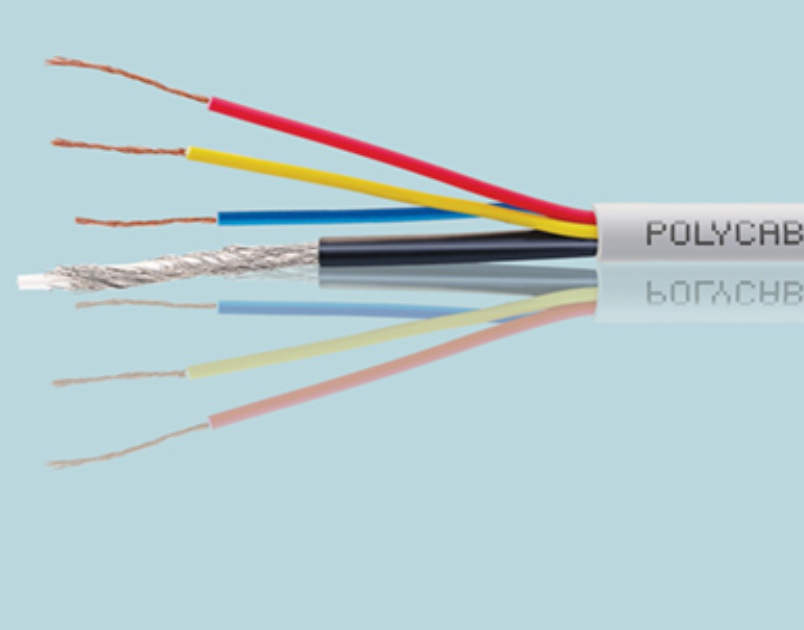 | Polycab CCTV Cables Polycab CCTV cables are specifically designed for use in closed-circuit television (CCTV) systems, offering reliable video signal transmission and... View product → |
 | Polycab cable jointing kit A Polycab cable jointing kit is a comprehensive set of components designed for safely and efficiently joining electrical cables, providing... View product → |
Test the system before and after the rain arrives
A cable that passes a daytime picture check can still fail after sunset. Infrared LEDs increase camera load, while rain can create leakage at a damaged jacket, connector or junction box.
1. Record the baseline before rain: camera image, date and time, night vision, recorder channel, link speed and PoE power reading. Photograph the cable entries and label both ends so a later fault can be traced to a route, termination or device.
2. For an IP camera, test the installed link with a wire-map and continuity tester, then run channel certification through the complete channel, including patch leads and connecting hardware. Check pair order, opens, shorts, split pairs, length and negotiation at 100 Mb/s or 1 Gb/s.
A failed wire map is not fixed by rebooting the camera.
3. Test the camera while infrared illumination is active. Watch for link drops, pixelation, rebooting, low-voltage warnings and rising packet errors. Compare the PoE power draw with the switch’s available budget; a marginal connection can work in daylight and collapse at night.
4. For analogue HD, inspect BNC terminations and test the coaxial path for continuity, shorts and a stable picture while the camera operates in colour and night mode. Check the separate power pair for voltage at the camera under load, not only at the power supply.
5. Repeat the checks during or immediately after rain, then compare results with the baseline. Give the polycab cable dealer the failed route, cable marking, invoice and test readings when requesting replacement; traceability helps separate a cable fault from water ingress or a bad termination.
Frequently asked questions
Why start with a route survey instead of ordering CCTV cable?
A site survey captures riser transitions, roof edges, conduits, trays, low points, ponding areas and service loops that straight-line measurements miss.
Where should you stop rainwater from entering a CCTV installation?
Seal cable entries, junction boxes, conduit ends and low points where water can collect or travel along the cable.
How do you match CCTV cable to the installation?
Check the camera system, transmission method, power requirements, route length, outdoor exposure and conduit or tray conditions before choosing cable.
What should a cable dealer confirm before dispatch?
Confirm the cable specification, required length, route conditions, camera system compatibility, accessories and delivery details before dispatch.
What should you test before and after monsoon rain?
Check camera power, live view, recording, network or video transmission, cable continuity and enclosure seals before and after heavy rain.
Related products
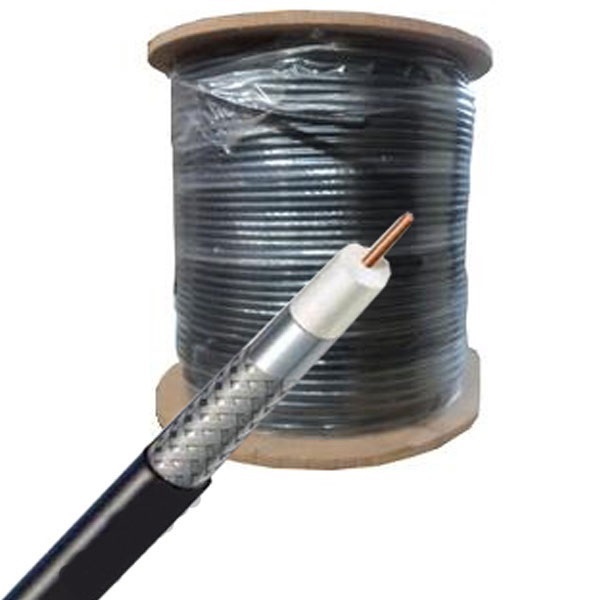 | Polycab Co-Axial Cables Polycab coaxial cable is a type of cable designed for transmitting high-frequency electrical signals, commonly used in cable television (CATV) and... View product → |
 | POLYCAB CABLE GLANDS Weatherproof DC Cable Gland Archives - ICCPolycab cable glands are mechanical devices designed to terminate and secure electrical cables, providing... View product → |